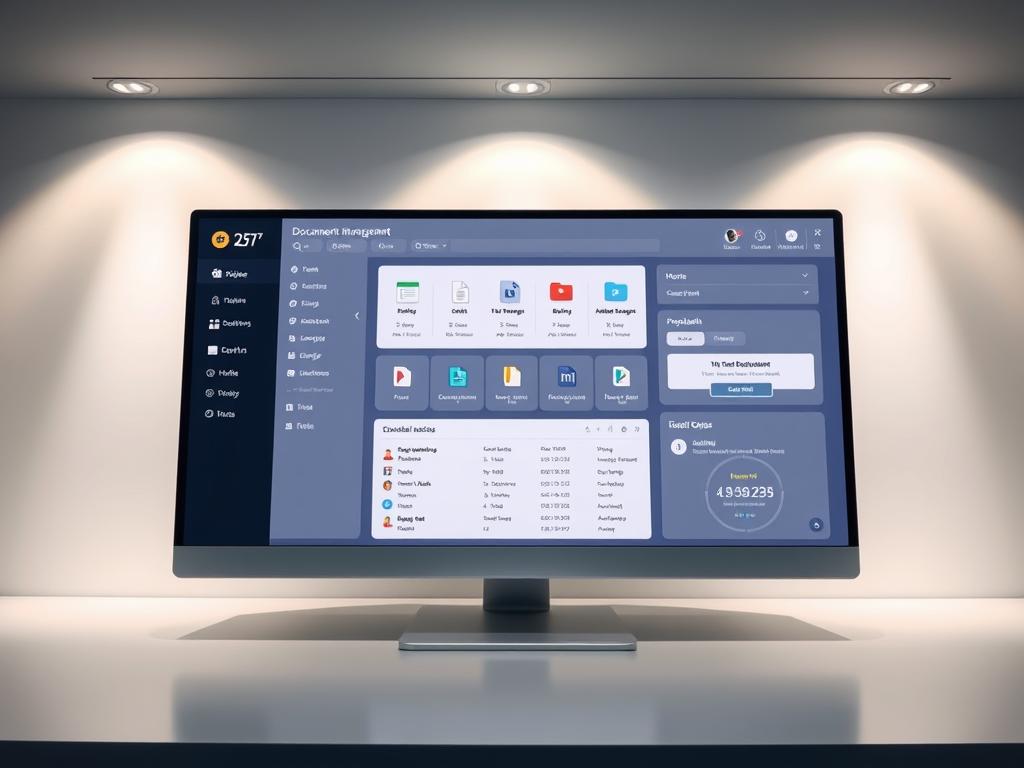
In today’s fast world, going paperless is key, not just for the planet. It’s a must for staying ahead. Companies in many fields are finding old ways slow, costly, and block teamwork.
Modern document management software changes how we manage files. It makes it easy to find important documents, no matter where you are.
Small to midsize businesses, like law firms and creative teams, benefit a lot. More companies are using these tools to make their work flow better.
These digital systems do more than just store files. They have cool features like automatic sending, keeping track of changes, and finding files fast. These help cut costs, keep things safe, and follow rules better.
This guide will show you the best tools for going digital. They can make your team work smarter and faster.
Introduction to Document Management Software
Today, businesses use document management software to keep digital files in order. This helps them work better across different teams. With so much digital content, managing it well is key for success.
These systems do more than just store files. They help manage a document’s whole life cycle.
Definition and Importance
Document management software (DMS) helps manage digital documents from start to finish. It’s not just for storing files. It has tools for organizing, tracking, and managing documents.
Having good document management is very important today. Without it, businesses face many problems. These include:
- Information silos that prevent knowledge sharing
- Version confusion leading to errors and duplicated work
- Compliance risks from improper document handling
- Wasted time searching for misplaced files
- Security vulnerabilities from inadequate access controls
For small and medium businesses, a good document management system is a big help. It keeps all important documents in one place. It also helps track versions, manage workflows, and keep data safe.
Key Features to Consider
When looking for document management software, there are key features to check. These ensure the software fits your business needs:
- Multi-channel document capture (scanning, email, mobile uploads)
- Optical Character Recognition (OCR) for converting scanned documents to searchable text
- Automated metadata extraction to categorize incoming documents
- Batch processing capabilities for handling large document volumes
Organization and RetrievalThe core value of any document management system lies in how effectively it organizes information and facilitates retrieval:
- Intuitive folder structures that mirror business processes
- Comprehensive metadata tagging for enhanced searchability
- Full-text search capabilities across all document content
- Custom taxonomies that align with your organization’s terminology
Version Control and CollaborationDocument management software follows a systematic method for maximizing productivity by dividing document-related tasks into subtasks assigned to appropriate team members. Key features include:
- Check-in/check-out functionality to prevent conflicting edits
- Version history tracking with the ability to restore previous versions
- Collaborative editing with change tracking
- Comment and annotation capabilities for feedback
Security and ComplianceProtecting sensitive information while maintaining regulatory compliance requires robust security features:
- Role-based access controls at document and folder levels
- Audit trails documenting all user interactions
- Automated retention policies for compliance requirements
- Secure backup and disaster recovery capabilities
Understanding these key points helps businesses choose the right document management software. The right system makes teams work better together. It boosts productivity and makes operations smoother.
Benefits of Implementing Document Management Software
Using document management software can really help a business. It makes things run smoother and saves money. It’s not just for storing files anymore. It changes how information moves around in a company, making things more efficient.
Increased Efficiency
Workflow automation is a big plus of document management systems. It cuts down on manual work, letting employees focus on more important tasks.
Employees save a lot of time. They used to spend 1.8 hours a day looking for stuff. But with these systems, they can find what they need up to 85% faster.

Things that used to take days now get done in hours or even minutes. Documents get to the right people fast, thanks to automated systems. This is super helpful for things like signing contracts or getting customers started.
Document tracking lets everyone see where documents are. This stops the guessing game and makes everyone accountable.
Enhanced Collaboration
These systems change how teams work together. They let many people see the same documents at the same time. This breaks down barriers that used to slow things down.
Version control keeps everyone on the same page. It stops the mess of different versions floating around. This makes sure everyone is working with the latest version.
Tools for commenting and annotating make feedback easy. It keeps all the important talks about a document in one place. This makes working together clearer and more effective.
Being able to work on documents from anywhere is a big plus. It lets teams keep working, no matter where they are. This is key in today’s world of remote and hybrid work.
Cost Savings
Document management systems save money in many ways. They cut down on paper, printing, and the need for office space. Companies often see a 30-40% drop in these costs in just one year.
They also need less space for storing papers. This means more room for other things. A filing cabinet can cost $1,500 a year in some cities. Big companies can save a lot by going digital.
These systems also protect against losing important documents. It costs over $220 to recreate a lost document. Plus, there are penalties and lost chances. Digital storage with backups makes this risk very low.
The biggest benefit is how it makes employees more productive. When they spend less time on paperwork, they can do more important work. This can save a company 10 times more than the cost of the system itself.
Top Document Management Software Solutions in the Market
Finding the right document management system is key. You need to know the top options and what they offer. Businesses must choose based on their needs, budget, and growth plans. Here are some top document management solutions.
Microsoft SharePoint
Microsoft SharePoint is a big name in document management. It’s part of Microsoft 365 and works well with Office apps. This makes it great for creating, editing, and managing documents.
SharePoint has robust workflow capabilities. It helps automate tasks like approvals and reviews. This cuts down on mistakes and saves time.
- Extensive third-party integration options
- Customizable security permissions at document and folder levels
- Version history and document co-authoring
- Mobile accessibility across devices
- Advanced search functionality with metadata filtering
For those already using Microsoft tools, SharePoint is a big plus. But, it might be too much for small businesses without IT help.
M-Files
M-Files changes how you manage documents. It uses metadata instead of folders. This makes finding documents easier and more flexible.
The platform’s intelligent information management automatically tags documents. This saves time and makes searching documents more efficient.
- Automated workflows and business process tools
- Artificial intelligence for document classification
- Dual cloud and on-premises deployment options
- Robust compliance features for regulated industries
- Seamless integration with existing business systems
M-Files is great for complex document needs. It’s perfect for firms with lots of documents and strict rules.
DocuWare
DocuWare is a cloud-based solution with top form processing. It digitizes paper processes with smart capture and workflow automation.
Its advanced form processing extracts data from documents accurately. This is great for handling lots of forms like invoices and contracts.
- Comprehensive document capture and indexing
- Intuitive workflow designer for process automation
- Mobile app for document access and approval
- Robust security with encryption and access controls
- Extensive integration capabilities with ERP and CRM systems
DocuWare is strong in making document-heavy processes digital. It’s best for accounting, HR, and customer service teams.
Google Workspace
Google Workspace is a cloud-native solution for document management. It focuses on real-time collaboration and accessibility. It’s not just for document management but also for creating, storing, and sharing documents.
Its real-time collaboration features let users work together on documents without version control issues. It also has tools like Google Meet and Chat for communication.
- Unlimited cloud storage (with Business and Enterprise plans)
- Powerful search capabilities across all content
- AI-powered features for content suggestions
- Simple sharing and permission management
- Extensive third-party app marketplace
Google Workspace is good for teams that value collaboration and mobility. It’s easy to use for all sizes of businesses. But, big companies with strict rules might need more tools.
When picking a document management solution, think about its current and future features. The best one should meet your needs now and grow with your business.
Factors to Consider When Choosing Software
When looking at document management solutions, you must think about many things. The right system can change how you organize files and help you go paperless. But, picking the right one is a big decision that needs careful thought.
Business Size and Needs
Every business is different. Small ones need simple solutions that are easy to use and don’t cost too much.
Medium-sized companies need more features to handle more documents and support different teams. Big companies need systems that can handle lots of documents, complex rules, and work with people all over the world.
- How many users will use the system?
- What kinds of documents will you manage?
- Which teams will use it the most?
- What problems do you have with documents now?
- What rules does your solution need to follow?
Storage space is not usually the main issue anymore. Instead, think about how the system helps teams work together. Features like sharing documents, tracking changes, and editing together can make a big difference.
Scalability Options
Your needs will change as your business grows. Choose software that can grow with you. Look at how well it can handle more users and documents.
Think about the pricing model too. Some charge per user, which can get expensive. Others have different levels based on storage or features. Choose what fits your budget and growth plans.
It’s also important to consider how easy it is to add more storage. Look for systems that let you grow without big changes.
Being able to add new features is key. The best systems let you add more as you need it, without having to switch to a new one.
User-Friendliness
Even the best system won’t work if it’s hard to use. Getting your team to use it is key. So, how easy it is to use is very important.
A system that’s easy to use saves time and makes people use it more. Look for one with a clear layout, easy labels, and options to fit your work style. Many offer free trials or demos to try before you buy.
Being able to use the system on mobile devices is also important. Make sure it works well on phones and tablets. This lets people work on documents from anywhere.
Also, check out the training and support. Good help and tutorials make it easier for people to learn and use the system. Some even offer special training sessions for big projects.
By looking at these factors and what your business needs, you can find software that really helps with organizing files and going paperless.
Integration Capabilities
Connecting document management systems with your tech can make things run smoother. Today’s businesses use many apps for different tasks. When these apps don’t talk to each other, work slows down and data gets stuck in silos. Effective integration makes document management software the key that ties everything together.
Compatibility with Existing Systems
When looking for document management, make sure it works with your apps. The best ones have easy connections for tools like CRM, accounting, and email.
Many use Microsoft Office or Google Workspace. Your document system should work well with these, so you can work on documents without switching apps.
ERP systems hold important business data. Your document system should connect with ERP to keep data in sync.
The Role of APIs
APIs are like messengers between software systems. A good API lets your team or developers make custom connections for your needs.
RESTful APIs are the standard for easy integration. Check the API’s details and endpoints when choosing a document system.
Cloud storage needs good APIs to work well. Connecting with Dropbox, Google Drive, or OneDrive lets users access documents from anywhere safely.
Popular Integration Examples
Email integration is super useful for document systems. It lets users save attachments directly to the system, making filing easier.
Workflow automation tools like Zapier or Microsoft Power Automate can work with document systems. For example, they can send emails when a contract is approved.
Integrating with accounting software makes financial tasks smoother. Invoices can go straight to accounting for payment, saving time.
Marketing teams get a lot from document system and content management integrations. They can create and publish web content easily, keeping the brand consistent.
Document management systems are key to connecting apps. They help share data and functions, making work more efficient and reducing manual tasks.
Security Features in Document Management Systems
When looking at document management solutions, it’s key to understand the security setup. This is to keep your company’s private documents safe and follow rules. As more companies go paperless, keeping sensitive info safe is more important than ever.
Today’s document management systems have strong security features. They protect your data and give you peace of mind. These systems make sure sensitive info stays safe but is also available to those who should see it.
Data Encryption Protocols
Encryption is the base of document security. It turns readable data into coded info that only the right keys can unlock. Good document management systems use encryption in different ways:
- In-transit encryption – Keeps documents safe while they’re being moved between users
- At-rest encryption – Protects documents even if someone unauthorized gets into the storage
- End-to-end encryption – Makes sure only the sender and the right person can see the info
- AES-256 encryption – Offers top-level protection that’s hard to break with today’s tech
When picking a document management solution, make sure it uses top encryption. This keeps data safe even if it’s caught in the middle of something bad.
Access Control Measures
Good access control is key for keeping documents safe while letting people work together. Document tracking helps with this by keeping an eye on who sees what and when.
Top document management systems have many access control levels:
- Role-based permissions – Gives access based on job, not who you are
- Multi-factor authentication (MFA) – Needs more than one way to prove who you are before you get in
- Single sign-on (SSO) – Makes logging in easier while keeping things secure
- IP restrictions – Limits access to certain networks for extra safety
- Audit trails – Keeps a record of all document actions for accountability and rules
These steps make sure only the right people can see important info. The best systems let admins set very specific permissions, like who can see, edit, or share certain files.
Compliance Standards to Observe
Every industry and place has its own rules for keeping data safe. It’s important to pick a document management system that meets your needs. Top solutions help companies follow many rules:
- GDPR – European rules for protecting data that affect any business with EU customers
- HIPAA – US rules for keeping healthcare info safe
- SOC 2 – Rules for security, availability, and keeping info private for service groups
- ISO 27001 – International standard for managing info security
- CCPA – California’s rules for protecting consumer data
When looking at document management software, ask about how it helps follow rules. Look for things like automatic rules for keeping documents, safe ways to destroy them, and tools for easy audits.
Going paperless shouldn’t mean sacrificing security or following rules. Today’s document management systems keep info safe and make following rules easier with automated steps and document tracking.
Security needs keep changing. Pick a vendor that keeps improving security and keeps up with new threats and rules.
Customization and User Experience
Customization and user experience are key to a document management system’s success. Even the best system won’t work if it’s hard to use. The best systems are easy to use and can be customized for each user.
Customizable Dashboards
Customizable dashboards are very important in document management systems. They let organizations and users set up the system to fit their needs.
Good dashboard customization includes:
- Personalized views that show the most important documents and tasks for each user
- Custom widgets for quick access to tools
- Options based on job roles
- Visual changes like layout and colors
When users can set up their workspace how they like, they work better. For example, accounting might focus on invoices, while marketing on creative assets. This makes the system better for each department’s needs.
User Interface Considerations
The user interface (UI) is how users interact with the system. A good UI makes it easy to learn and use, helping everyone in the organization.
Important UI elements include:
- Consistent navigation
- Clear visual organization
- Responsive designs for all devices
- Accessibility features
Making a system easy to use is key. The best systems are simple yet powerful, not too much for users.
Workflow automation tools are also important. They make processes faster and less prone to mistakes. For example, automated document routing saves time and reduces errors.
Training and Support Services
Even the best system needs training and support to be fully used. Look at the training and support offered by vendors when choosing a system.
Good training and support include:
- Detailed guides
- Video tutorials
- Live training sessions
- Responsive customer support
- User communities
Having these resources helps users learn the system quickly. Try the system with end-users to see how easy it is for them.
Many vendors offer training that fits specific workflow automation needs. These sessions help users see how the system can improve their work.
Remember, support is as important as training. As users get more familiar, they’ll find more ways to use the system. A good support team helps users keep learning and using the system to its fullest.
Case Studies of Successful Implementations
Looking at real case studies shows how document management software changes work for the better. It’s not just about theory; seeing it in action helps businesses understand its real impact. Here are examples of how different companies solved document problems and saw big improvements.
Case Study 1: Company A
A mid-sized accounting firm with 150 employees had big problems with paper documents. Files were in cabinets, making it hard to find things and work together. During tax season, people waited a lot to get important documents. About 3% of files were lost every year.
The company chose a cloud-based document management software to fix this. They started with the latest documents and then worked on the older ones.

At first, some employees didn’t want to change from paper. But, with good training and leaders in each area, they got on board. The results were amazing:
- 40% less time to find documents
- 30% less money spent on admin
- Almost no lost documents
- Staff could work from home during the pandemic
- Documents were safer with special permissions and logs
The managing partner said: “The document tracking was worth it. We know who looked at what and when. It really helped us follow rules better.”
Case Study 2: Company B
A manufacturing company with sites in three states had big document problems. They used paper for quality checks, rules, and plans. This slowed down their work a lot.
They picked a document management software that worked with their ERP system. This gave them a clear view of their whole operation.
Getting data into the new system was hard. But, with help from the software maker, they made it work. They made special links between old systems and the new one.
- Production time went down by 2.5 days
- 65% better at keeping track of document versions
- 50% faster compliance reports
- Annual savings of $380,000
- Happy suppliers and customers
The operations director said: “Tracking documents has changed us. We can show all the history of a product in seconds.”
Both stories show how document management software helps in real ways. They all had good planning, a step-by-step approach, training, and worked with what they already had. Companies thinking about this should remember that the biggest challenge is changing how people work.
Conclusion: Making the Right Choice
Choosing the right document management software is important. It must meet your organization’s needs. It should be functional, secure, and easy to use, all within your budget.
Summary of Key Considerations
When looking at document management options, focus on security. This is key for businesses in regulated fields. Look for systems that work well with your current tools to keep workflows smooth.
The move to cloud storage is changing how we handle documents. Having access from anywhere is now a must. Investing in paperless solutions can save money and make things more efficient.
Future Trends in Document Management Software
The world of document management is changing fast. AI tools that can understand and sort documents are becoming common. Blockchain is also being used to verify documents and build trust.
Mobile access will keep getting better. This means teams can work on documents from anywhere. As cloud storage gets better, expect more advanced paperless solutions with better analytics.
Start by figuring out what’s not working for you and what you need. The right system will grow with your business. With the right choice, document management software becomes a key asset for your company.