
In today’s fast-paced world, being efficient is key. Voice-to-text technology is changing the game for professionals. It lets them capture ideas, write documents, and talk to colleagues quickly, without typing.
Advanced transcription apps and accessibility software have changed how we work. They make it easy to turn spoken words into text. This is great for busy people and those with mobility issues, as it lets them express themselves easily and quickly.
We’ll look at the best voice-to-text tools that are changing office work. These tools offer real-time transcription, support for many languages, and work well with popular software. They make your work easier and more efficient. Learn how voice-to-text can make your daily tasks more intuitive and productive.
Introduction to Voice-to-Text Technology
Voice-to-text technology has changed how we use our devices and write. It uses advanced tech to turn spoken words into text we can edit. This tech makes work faster, easier, and more efficient for many people.
Speech-to-text tech works by analyzing how we speak. It looks at sounds, tone, and what we say. It learns from lots of speech data to understand different ways of speaking.
When we talk to our devices, the software turns our words into text. It does this very well, thanks to its learning.
Benefits of Voice-to-Text Tools
Voice-to-text tools help a lot of people in many ways. Here are some main benefits:
- They make writing faster and easier, saving time.
- They help avoid tiredness from typing too much.
- They help people with disabilities use technology better.
The Evolution of Voice Recognition
Voice recognition has grown a lot over time. Old dictation software was hard to use. It needed slow, clear speech and didn’t understand many words.
Now, thanks to new tech, voice typing is much better. It learns from lots of data and gets better with time. It can understand natural speech and even learn from mistakes. This makes it a key tool for anyone wanting to work more efficiently.
Key Features of Effective Voice-to-Text Tools
When looking for the best voice-to-text tool, there are key features to keep in mind. These features can greatly improve how well the tool works for you. Let’s look at what makes top voice-to-text tools stand out.
Accuracy in Transcription
Transcription accuracy is very important. Good software turns your words into text without many mistakes. Look for tools with advanced technology and learning algorithms. This means they get better over time.
With high accuracy, you won’t spend as much time fixing mistakes. This saves you a lot of time.
Language Support and Multilingual Capabilities
In today’s world, speaking different languages is key. Good voice-to-text tools can handle many languages. This lets you work with people from all over the world easily.
Some tools even translate languages in real time. This helps everyone understand each other better, making work more inclusive.
Integration with Other Software
Your voice-to-text tool should work well with other software you use. It should be easy to use with Microsoft Office, Google Docs, and CRM systems. This lets you write documents and emails without typing.
Also, look for tools that let you use voice commands. This means you can control your software without using your hands.
Focus on features like accuracy, language support, and integration. This will help you find a tool that makes your work easier. Choose a tool that fits your needs and helps you work smarter.
Comparing Popular Voice-to-Text Tools
In today’s fast world, voice-to-text tools help us work faster and better. Google Speech-to-Text, Microsoft Word Dictation, and Otter.ai are top picks. Each has special features for different needs.
Google Docs Voice Typing
Google Docs has a voice typing feature powered by Google Speech-to-Text. It’s free and works in many languages. You can type documents with your voice and even format them easily.
It’s great for working together and getting notes right away.
Microsoft Word Dictation
Microsoft Word has voice dictation built right in. It uses smart speech tech to write and edit documents for you. It’s perfect for those who use Microsoft Office a lot.
Otter.ai for Meetings
Otter.ai is great for taking notes during meetings. It can write down what everyone says in real time. It also lets you mark important parts and add comments.
This makes meetings more productive and keeps everyone in sync.
Voice-to-Text Tools for Different Industries
Voice-to-text technology has changed how professionals work in many fields. It turns spoken words into written text. This makes work easier, faster, and more productive. Let’s see how it’s helping in healthcare, law, and education.
Healthcare Applications
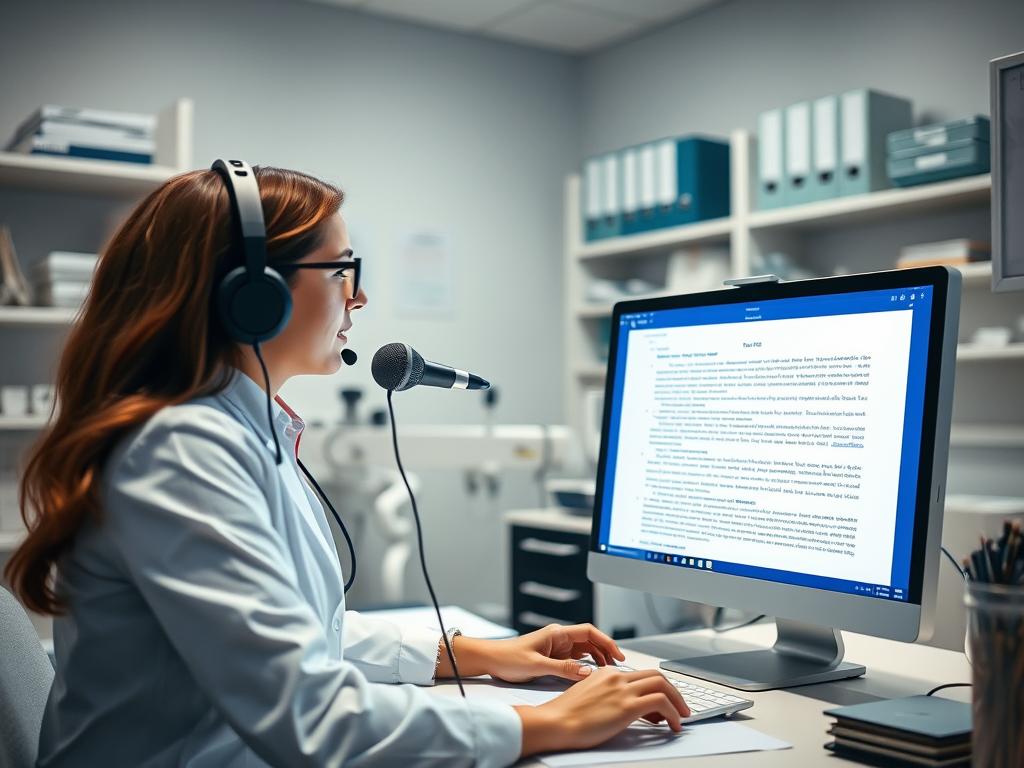
In healthcare, medical transcription is key for accurate patient records. Voice-to-text tools make this easier. Doctors can now dictate notes and reports directly into systems.
This saves time and cuts down on mistakes. With advanced software, healthcare workers can focus on patient care. They also keep medical records up to date.
Legal Industry Solutions
The legal field needs lots of documents, and voice-to-text tools help a lot. Lawyers and their teams use software to write contracts and legal papers fast. This saves time and makes their work easier.
Legal tools recognize important terms and work with case management systems. This makes writing documents smooth and correct.
Education and Academic Use
Voice-to-text tech is changing education. Teachers use tools to record lectures for students. This helps students who miss classes or need extra study help.
It’s also great for students with disabilities. It helps them take part in school activities. Researchers use it for interviews and notes, saving time.
Voice-to-text tech is getting better and will help more industries. It makes work easier and lets professionals focus on what they do best. In healthcare, law, and schools, it’s changing how we work and learn.
The Impact of Voice-to-Text Tools on Productivity
Voice-to-text technology has changed how we work. It gives a big productivity boost and saves a lot of time. These tools let users speak their ideas, making documents and emails faster.
Enhancing Workflow Efficiency
Voice-to-text tools make work flow better. They can type up to three times faster than we can. This means we can do more in less time, making us more productive.
These tools work well with many programs like word processors and email. They make it easy to add speech recognition to our work. This makes our work faster and cuts down on typing.
Reducing Typing Fatigue
Voice-to-text tools also help avoid typing strain. Long typing can hurt our hands and wrists. Using these tools, we can work without hurting ourselves.
They also help people with disabilities or injuries. They let everyone work without typing, making the workplace better for all.
Customization and User Preferences
Voice-to-text tools now offer many customization options. These options let users make the software fit their needs. This makes dictation more accurate and efficient, helping people use voice-to-text every day.
Adapting to Accents and Dialects
One big step forward is recognizing and adapting to different accents and dialects. Advanced algorithms help the software understand and write down speech from various places. This is great for companies with diverse teams or those working in many languages.
Personalized User Profiles
Many tools now let users create their own profiles. By setting up a profile, users can teach the software about their voice and how they speak. This makes the software better at writing down what they say over time.
Setting up a profile is easy. Users just read some sentences to help the software learn their voice. As they use the tool more, it gets even better at understanding them.
Together, recognizing accents and adapting to users through profiles has changed how we use voice-to-text. These options mean everyone can get personalized dictation and improved precision, no matter their accent or how they speak.
Security and Privacy Considerations
When using voice-to-text tools at work, keeping data safe is key. These tools deal with private info like client secrets or health data. Companies must pick tools that meet their security needs and follow the law.
Look at how the voice-to-text provider handles data. Good providers use strong encryption and control who can see your data. They also have clear rules for keeping and deleting data.
Compliance with Regulations
Some industries have special rules for voice-to-text tools. For example, healthcare must follow HIPAA to protect patient info. Legal teams need to keep client secrets safe. Make sure the tool you choose follows these rules.
Check the provider’s security and privacy policies. Know how they collect, store, and use your data. They should also tell you about any data sharing or third-party access.
By focusing on data safety, companies can keep info secure while improving work efficiency. Choosing the right tool with the right security and compliance is important for a successful setup.
Tips for Maximizing Voice-to-Text Tool Effectiveness
To get the most out of voice-to-text tools, it’s key to follow dictation best practices. Mastering clear communication is vital. By following simple guidelines, you can greatly improve your transcription accuracy and make your workflow smoother.

Clear Speech and Pronunciation
Clear and natural speech is essential for voice-to-text dictation. Make sure to enunciate your words well. Also, try to avoid background noise that could mess up your transcription.
These speaking techniques ensure your voice-to-text software gets your words right. This means you’ll spend less time editing later.
Utilizing Keyboard Shortcuts
Learning the voice commands and keyboard shortcuts in your tool boosts editing efficiency. Most tools let you format text and navigate documents with voice commands. This saves you time and effort.
By using these tips daily, you’ll get the most out of your voice-to-text tools. As you get better at dictation, creating content will become faster and easier.
Future Trends in Voice-to-Text Technology
Voice-to-text tech is getting better fast. It will change how we use our devices and make work easier in many fields. This tech is linked to big steps in artificial intelligence and machine learning.
These new techs make voice-to-text tools more accurate and easy to use. This opens up new ways for us to use them at home and at work.
AI and Machine Learning Advancements
Artificial intelligence and deep learning are making voice-to-text tech better. They help the tools understand speech better, get different accents, and adjust to how we speak. As these techs get better, voice-to-text tools will get even more accurate and fast.
Potential Market Growth and Applications
The market for voice-to-text tech is growing fast. More companies see how it can make work better and more efficient. This means more people will use these tools.
New uses like voice assistants and real-time translators will also boost demand. With more remote work, we’ll need tools that are easy and reliable. This makes voice-to-text tech very important for the future of work.